
How to Change the Vuze Download Folder or Location Safely
To change the Vuze download folder, first pause active transfers and record the current save path. Change the default directory for future tasks, then move existing data only through a controlled relocate or recheck workflow. Simply dragging an active download to another folder can make Vuze report missing files or start downloading the same data again.
Vuze 5.7.6.0 remains a legacy release line. Menu labels can vary by platform, mode and older package, so use the workflow below rather than relying on one exact screenshot.
- Legacy version
- Vuze 5.7.6.0 Source checked July 23, 2026
- Safest order
- Pause → set path → move → verify Avoid moving active files blindly
- Future downloads
- Default directory setting Does not automatically move old data
- Existing downloads
- Relocate or recheck Preserve the torrent task and file names
Before you change the Vuze download location
The default folder for new tasks is different from the path stored by existing tasks. Pause transfers, record the old path and decide which case you are handling.
A new default download directory affects tasks added after the setting is saved. It normally does not pick up every active or completed task and move its files. Existing tasks keep a path in their own metadata, which is why a folder move made only in File Explorer or Finder can break the connection between the task and its data.
Pause the affected transfers, note the old full path and confirm that the new drive has enough free space. If a task is important, keep a temporary copy of its torrent file or magnet information and avoid changing file names. Cross-drive moves take longer than moves within the same volume and are more exposed to interruption.
- Finish or pause disk-intensive tasks before changing paths.
- Write down the original folder and the intended new folder.
- Keep the same file and subfolder names during the move.
- Use a small legal test download before migrating a large queue.
How to change the default download folder in Vuze
Use the preferences area to set where future downloads should be saved. Older Vuze builds can hide advanced controls until the interface mode is changed.
Open Vuze preferences or options, find the Files section and locate the default directory for completed or downloaded files. Choose a dedicated folder that your user account can write to, save the setting and restart Vuze only if the new value is not reflected when you add a test task.
The wording may be shown as Default directory, Save to, Download directory or a similar label. Do not select a temporary browser folder, a removable drive that is often disconnected, or a protected system location that requires administrator access every time.
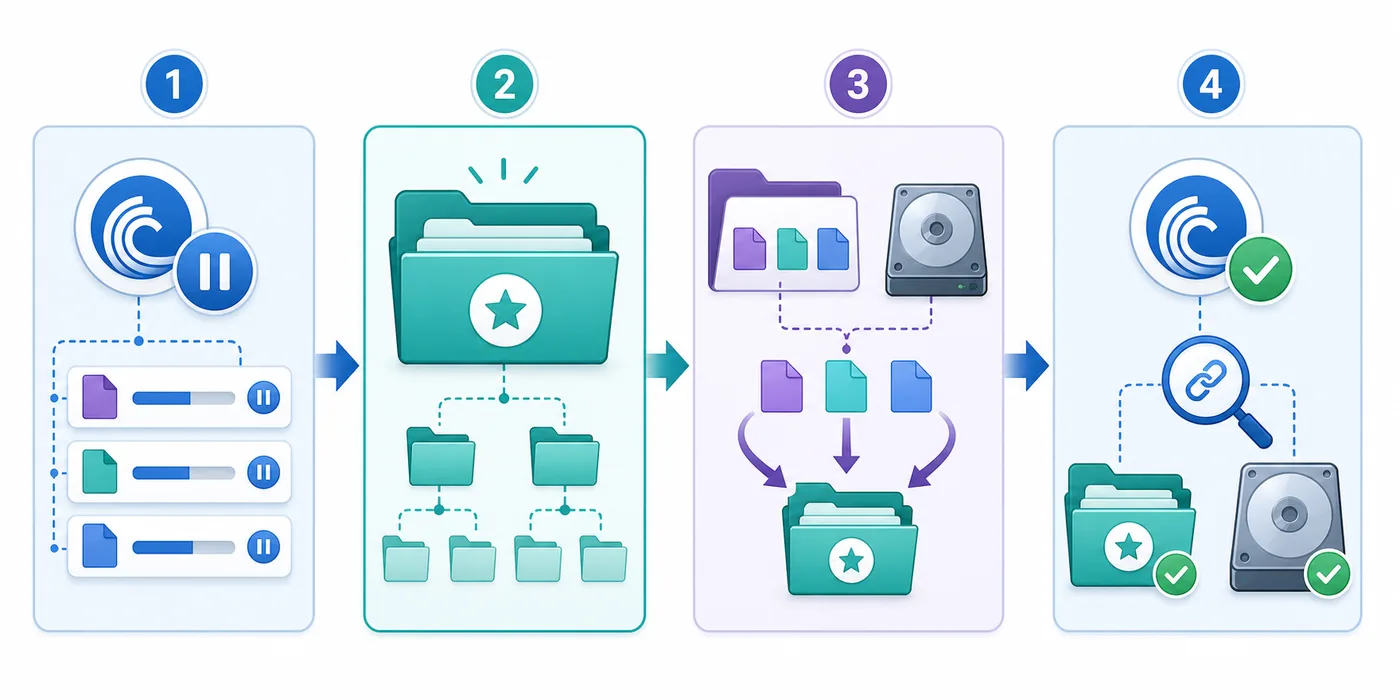
- Pause and recordPause active transfers and copy the current path into a note so it can be restored.
- Open preferencesOpen Tools or the application preferences, then locate the Files or download-directory settings.
- Choose the new folderCreate a stable writable folder, select it as the default destination and save the setting.
- Test the resultAdd a small legal download and confirm that its data appears in the new location.
Move existing Vuze downloads without starting over
Changing the default path and relocating existing data are separate operations.
For an existing task, pause it and use Vuze's task-specific move, relocate or set-data-location command when that command is available. This lets the client update its stored path. If your build does not expose a reliable move command, pause and stop the task, move the complete data with the same names, point the task to the new data location and run a force recheck before resuming.
A recheck compares the files on disk with the pieces described by the torrent metadata. It can take time, but it is safer than assuming the move succeeded. If Vuze shows zero percent after the move, stop before downloading again: verify the selected parent folder, nested directory name and exact file names.
| Situation | Best action | Why |
|---|---|---|
| Only future tasks | Change the default directory | Existing task paths remain untouched |
| Active incomplete task | Pause, relocate data, then recheck | Preserves verified pieces and avoids duplicate traffic |
| Completed task kept for seeding | Move through the task menu or reset its data location | Keeps the client connected to the finished files |
| External or removable drive | Use only when the drive letter or mount path is stable | A missing drive makes every related task unavailable |
Choose a download folder that stays reliable
A good Vuze save path has enough free space, predictable permissions and a stable name. A dedicated folder such as a data drive or a clearly named Downloads/Vuze directory is easier to back up and troubleshoot than the desktop, a temporary folder or a deeply nested path.
On Windows, avoid changing a drive letter after assigning it to Vuze. On macOS, confirm that the app can access the selected folder and external volume under current privacy controls. On every platform, remember that moving the data does not change where Vuze stores its configuration, resume data or torrent metadata.
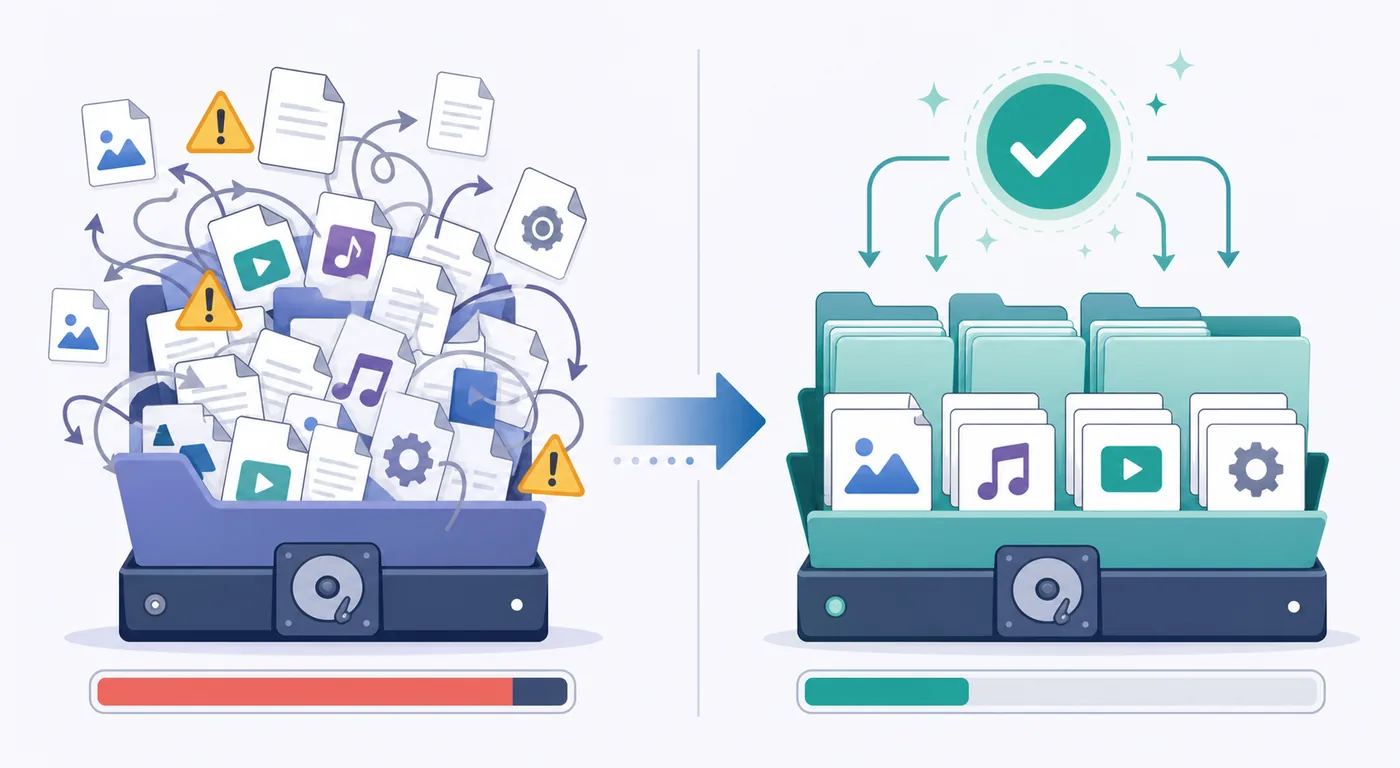
- Reserve free space beyond the expected payload size for temporary activity.
- Keep permissions simple and avoid folders controlled by another account.
- Use a stable drive letter or mount point for external storage.
- Separate legal download data from application installers and temporary files.
Fix missing files, zero percent and duplicate downloads
If Vuze cannot find the data, compare the task's recorded location with the real folder. A common mistake is selecting the folder that contains the torrent's folder rather than the torrent's folder itself, or the reverse. Correct the level and run a recheck again.
If the new folder is read-only, choose a location owned by your normal user account instead of disabling system protection. If the task begins downloading duplicate files, pause it immediately, restore the previous path or correct the new data location, and verify before resuming.
- Missing files: verify the exact parent and nested folder level.
- Zero percent after moving: keep names unchanged and force a recheck.
- Permission error: select a user-writable folder, not a protected system directory.
- Disconnected drive: reconnect it at the same path before opening affected tasks.
Vuze version and source note
This guide was checked on July 23, 2026. The established Azureus/Vuze project area on SourceForge still presents Vuze 5.7.6.0 as the legacy release line, published in 2017. No accessible current first-party Vuze update feed or newer verified Vuze release was found.
The site therefore links to the project file area rather than claiming a newly supported build or guessing a permanent installer URL. If an old menu does not match this guide, preserve the same safe sequence—pause, record, change, relocate and verify—or compare a maintained client before changing a large archive.
Verify one task before migrating the whole queue
Use a small legal download to confirm the new path, permissions and recheck workflow before moving important data.
Vuze download location FAQ
These answers separate the default path for new tasks from the data location stored by existing tasks.
How do I change the Vuze download location?
Open Vuze preferences, find the Files or download-directory setting and choose a stable writable folder for future tasks. To move existing data, pause the task, preserve names, update its data location and force a recheck before resuming.
Will changing the default directory move my existing downloads?
Usually no. The default setting controls new tasks. Existing tasks retain their stored data path and must be relocated or pointed to the moved files separately.
Can I move an incomplete Vuze download?
Yes, but pause it first. Use a task move or relocate command when available; otherwise move the unchanged files, set the new data location and force a recheck before resuming.
Why does Vuze show zero percent after I moved files?
The selected path or folder level may not match the original structure. Keep names unchanged, correct the task data location and run a force recheck before downloading again.
Can I use an external drive for Vuze downloads?
Yes if the drive is reliably available at the same drive letter or mount path and has enough free space. Pause affected tasks before disconnecting it.
Does this guide use the latest Vuze version?
It describes the legacy Vuze 5.7.6.0 line verified from the SourceForge project area on July 23, 2026. No newer verified first-party Vuze release was found.